Alert Rules
Configure rules visually under "Alert Management → Alert Rules". Common scenarios do not require PromQL, although custom PromQL is also supported.
warning
Thresholds and notification policies should be managed by operations personnel. Improper configuration may cause false positives or missed alerts. Validate rules in a test environment before production use.
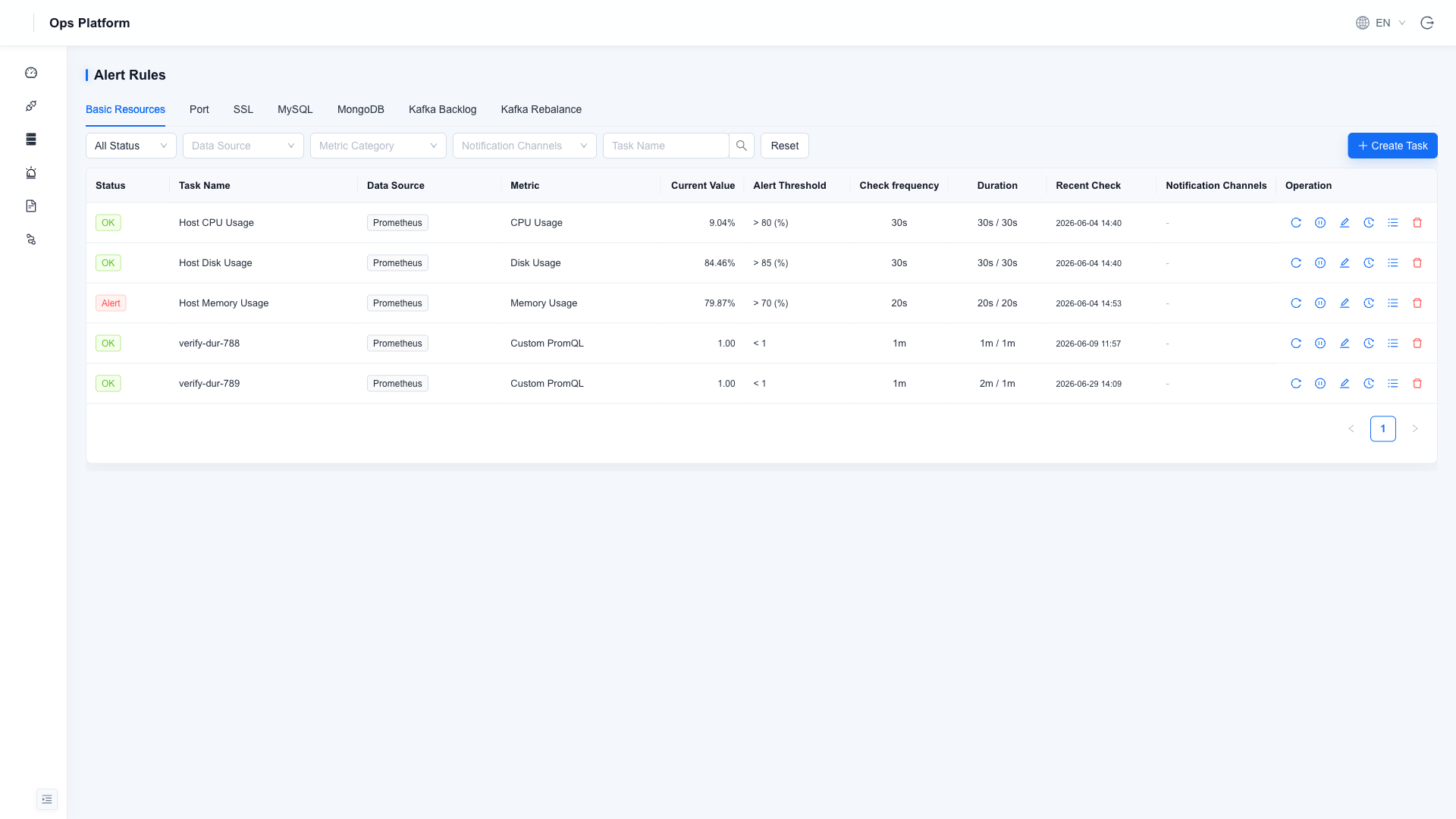
Monitoring Types
The rule page is split by type tabs. Middleware types appear only after the corresponding Data Source is enabled:
| Tab | Monitoring Scope | Condition |
|---|---|---|
| Basic Resources | CPU, memory, disk, and other host/middleware metrics; custom PromQL is supported | Always |
| Port | TCP port connectivity probing | Always |
| SSL | HTTPS certificate validity period | Always |
| MySQL | Specialized checks such as connections and slow queries | MySQL data source enabled |
| MongoDB | Specialized checks such as connections and replication lag | MongoDB data source enabled |
| Kafka Lag | Consumer group lag backlog | Kafka data source enabled |
| Kafka Rebalance | Frequent consumer group rebalance | Kafka data source enabled |
Create a Rule
Click "New Task" and fill in the fields:
| Field | Description |
|---|---|
| Task Name | Unique and readable, such as High production host CPU |
| Data Source | Target instance to monitor |
| Metric | Select a built-in metric, or choose "Custom PromQL" and enter an expression directly (with preview support) |
| Alert Threshold | Operator + threshold, such as > 80 |
| Check Frequency | How often the rule is checked |
| Duration | How long the threshold must be exceeded before entering alert state, filtering short spikes |
| Notification Channel | Bind a notification channel; if not bound, records are kept only inside the Ops Platform |
State Flow
The built-in noise-reduction state machine sends notifications only when the state changes. A continuously firing alert is not repeatedly pushed:
Normal ──threshold exceeded──▶ Pending ──duration satisfied──▶ Firing ──recovered──▶ Recovered
| State | Meaning |
|---|---|
| Pending | Threshold exceeded, but duration not yet satisfied |
| Firing | Threshold exceeded and duration satisfied; notification has been sent |
| Recovered | Recovered from alert state; recovery notification sent |
| Paused | Rule manually paused and no longer scheduled |
Common Operations
- Check Now: Skip the wait and run one check immediately.
- Pause/Enable: Temporarily stop scheduling during planned maintenance, replacing the old "alert silence" flow.
- Instance Details: View current values for matched instances. Per-instance silence is supported, so individual instances can be suppressed while the rule continues to run.
- Alert History: View trigger records for this rule. See Alert History for the global view.