How to enable AI
Since v7.0.0, the configuration process for enabling the platform's AI capabilities is as follows:
-
The platform administrator navigates to Platform Management > Usage Settings > Service Configuration > AI Capabilities page.
-
On this page, the following configurations must be completed in sequence:
-
Configure Provider: Set the underlying AI model provider.
-
Configure Model: Based on the provider, add or select a specific developer and configure the AI model.
-
Feature Association: In the "Feature Configuration" section, specify the corresponding model to be invoked for each system AI feature.
-
Model
The model page is used for unified management of available AI models within the platform.
-
Add developers. The platform will default to include a batch of pre-configured developers and models (
OpenAI,Tongyi Qianwen,DeepSeek). Administrators only need to complete the supplier configuration to start using them (pre-configured developers cannot be added repeatedly).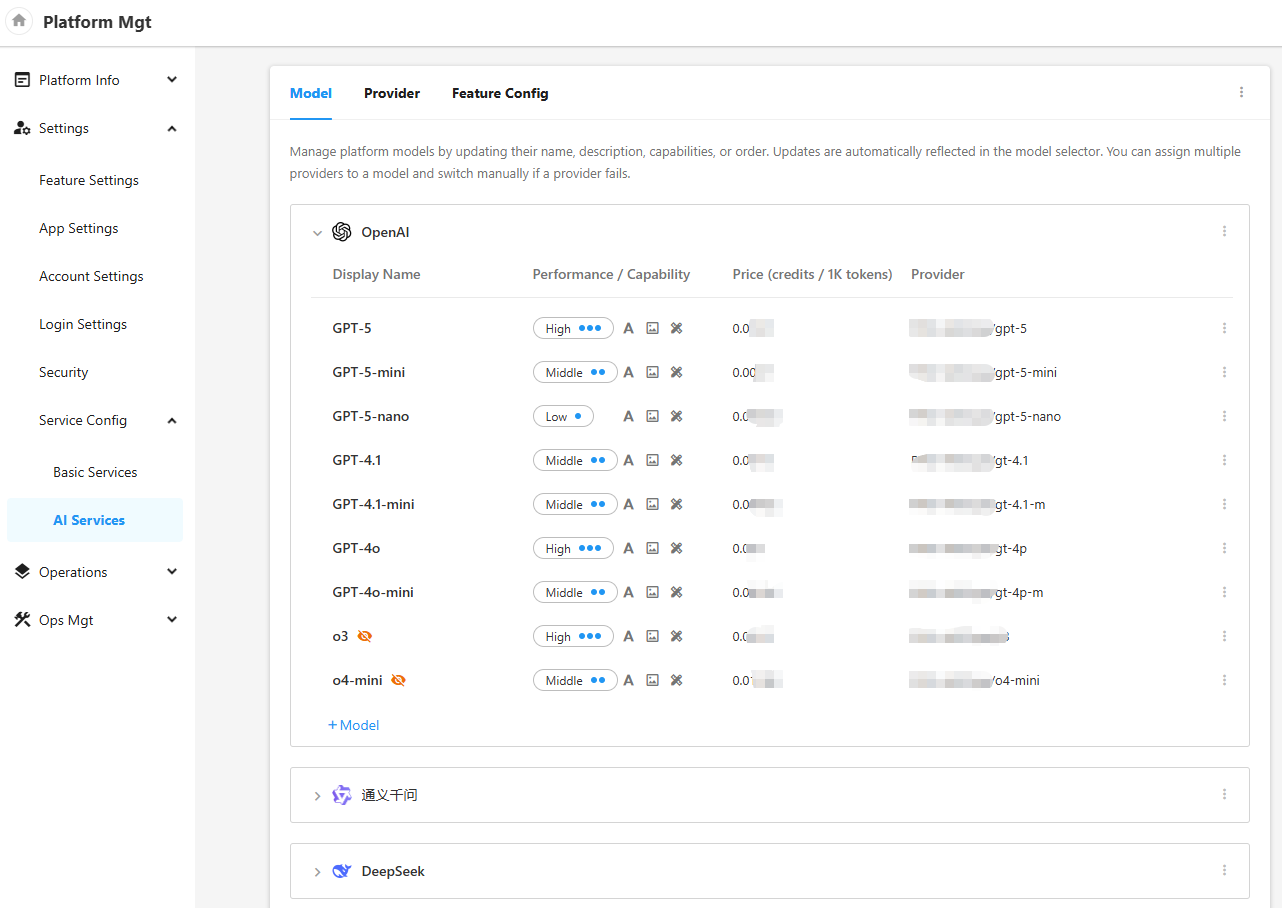
-
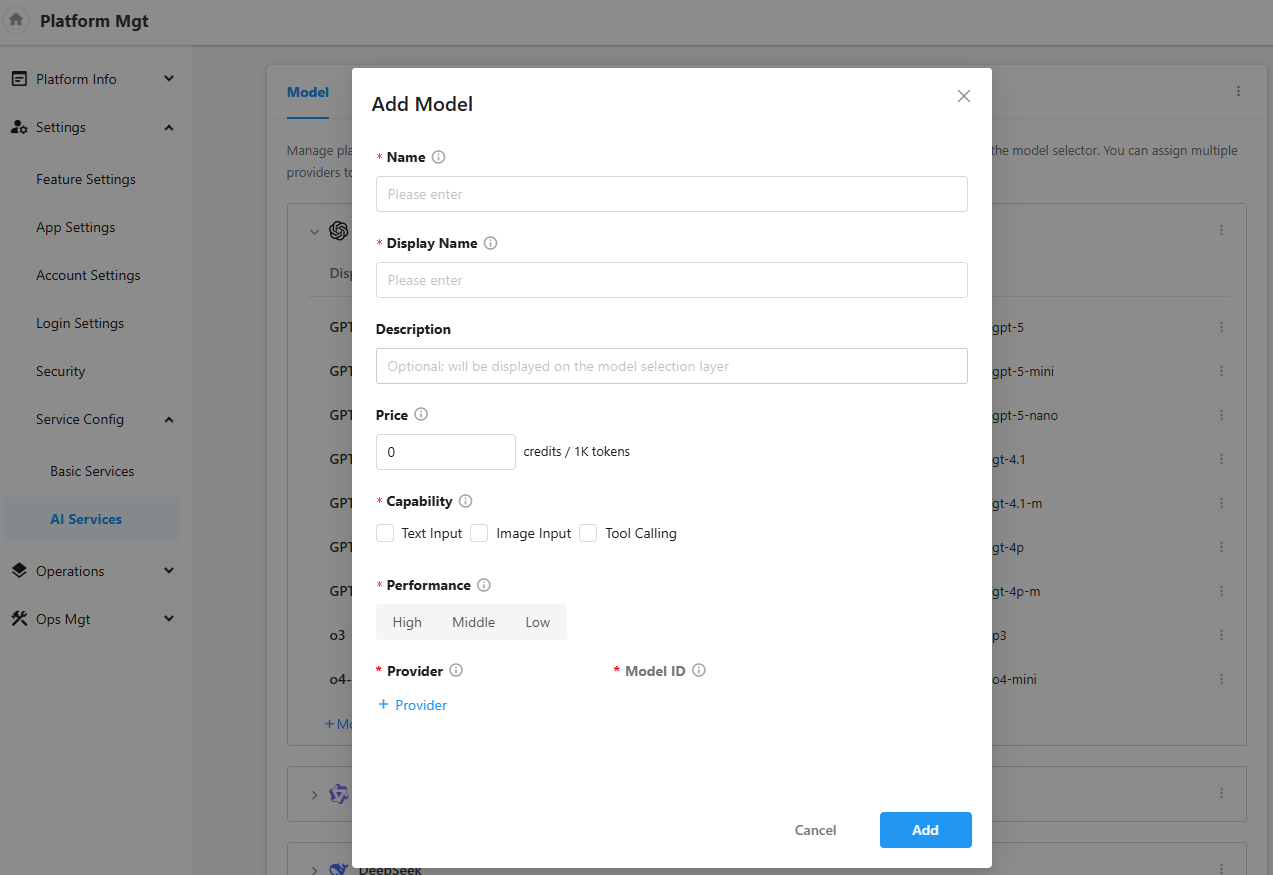
Add models: Add specific models under a developer
- Name: The unique identifier of the model within the platform. This identifier is used internally by HAP for model matching. It is case-sensitive and must not be duplicated. Modification should be made with caution to avoid functional failures caused by calls to models already in use.
- Display Name: Name of the model displayed in the front interface.
- Price: Set the model's usage fee standard based on the platform version.
- Capabilities: Define the technical characteristics of the model, which serve as the key reference for automatic AI function-to-model matching within the system.
- Performance: Comprehensive performance metrics for the model. It is recommended to evaluate based on response speed, output quality, stability, and cost dimensions. The system will use these metrics for reference when performing automatic optimal matching.
- Supplier and Model ID: Configure the actual supplier and model ID to be called. Multiple suppliers can be configured, but only one can be activated at any given time.
-
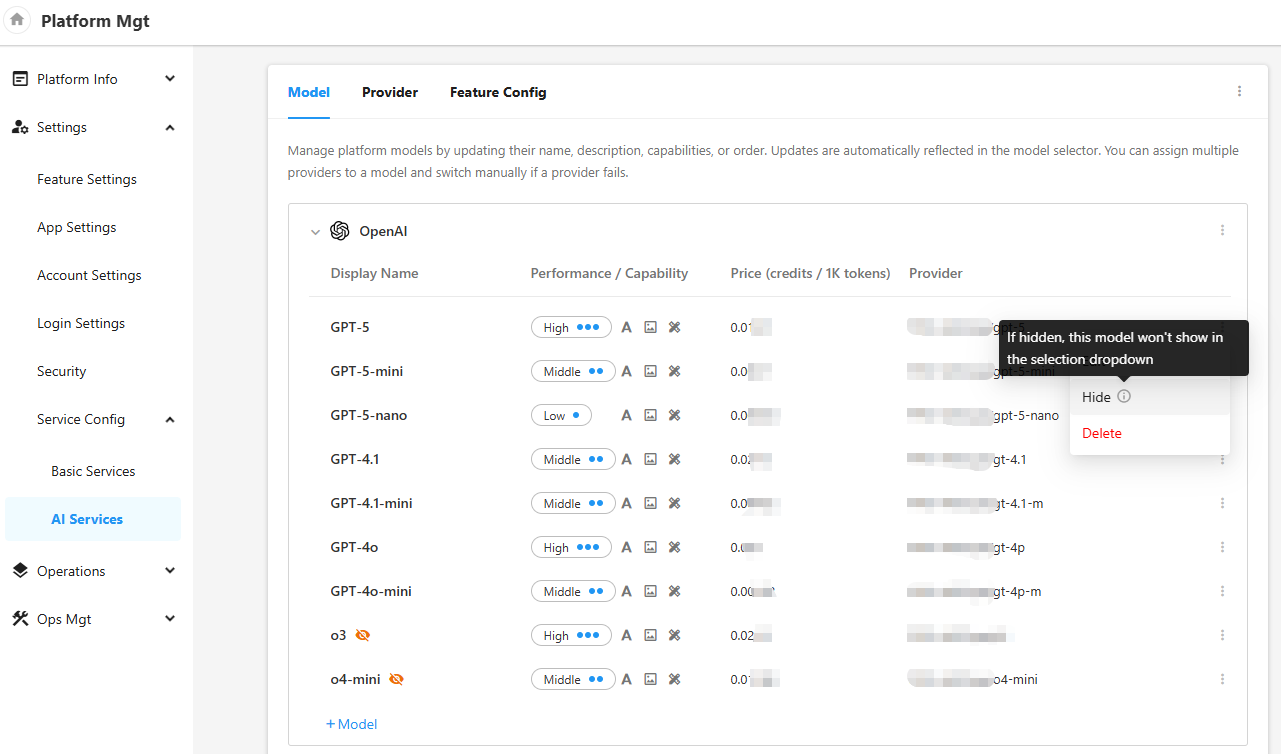
Support setting hidden developers and models. After setting hide, the model selection layer of workflow AIGC related nodes will not be displayed (note: the function configuration of platform management is still optional).
Provider
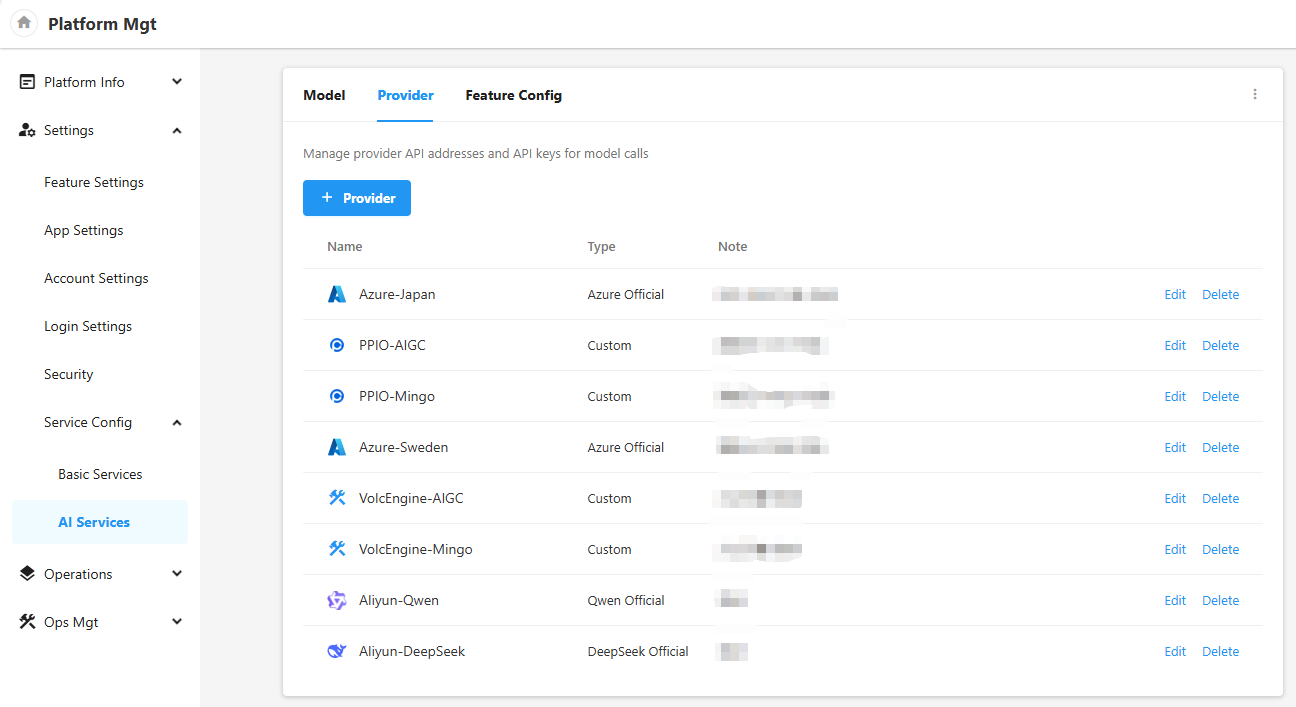
The provider serves as the interface provider for large models within the platform.
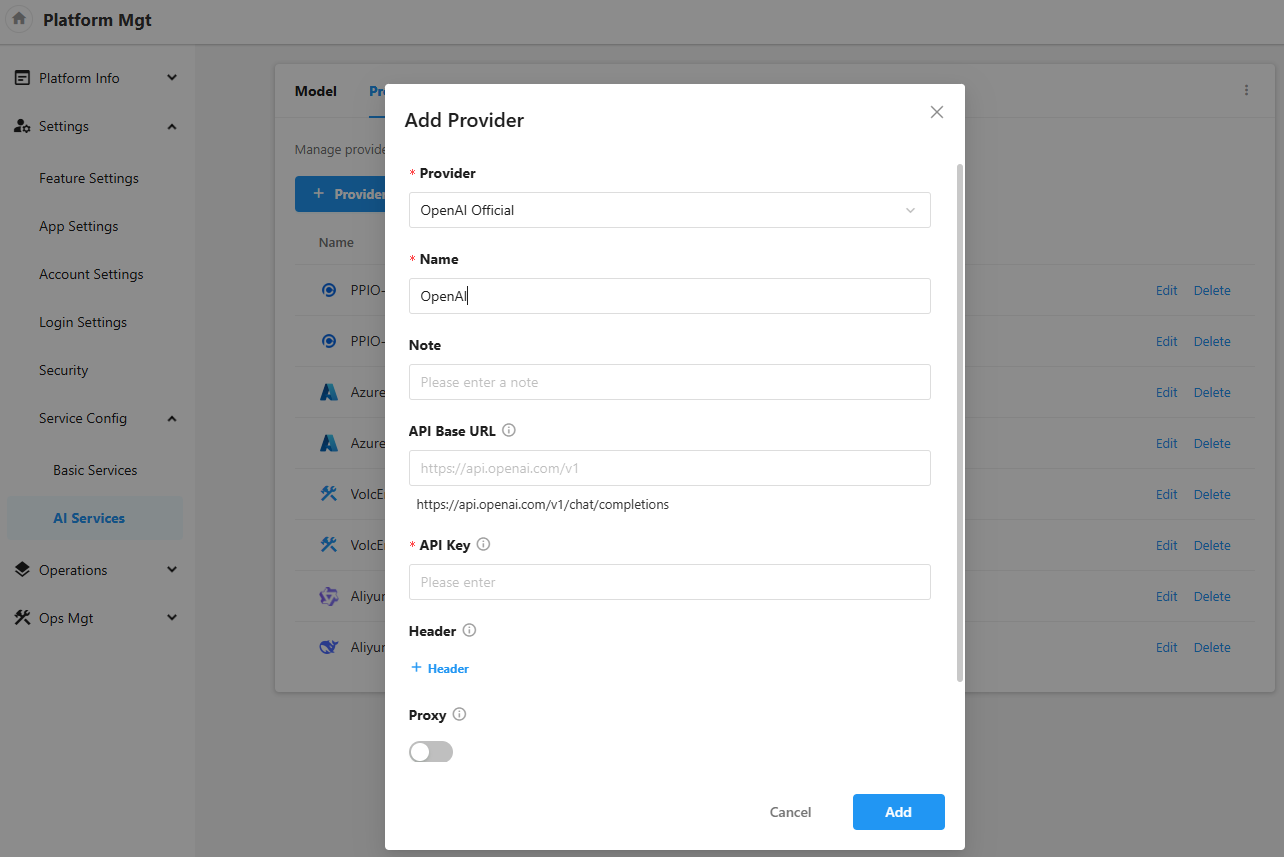
Manage the provider's request interface address and call voucher (API key) for model call.
-
Currently, it supports adding official providers of
OpenAI,Qwen,DeepSeek,Azure, and also supports adding custom providers (Note that custom providers need to meet the OpenAI interface definition specification, see OpenAI Official Document)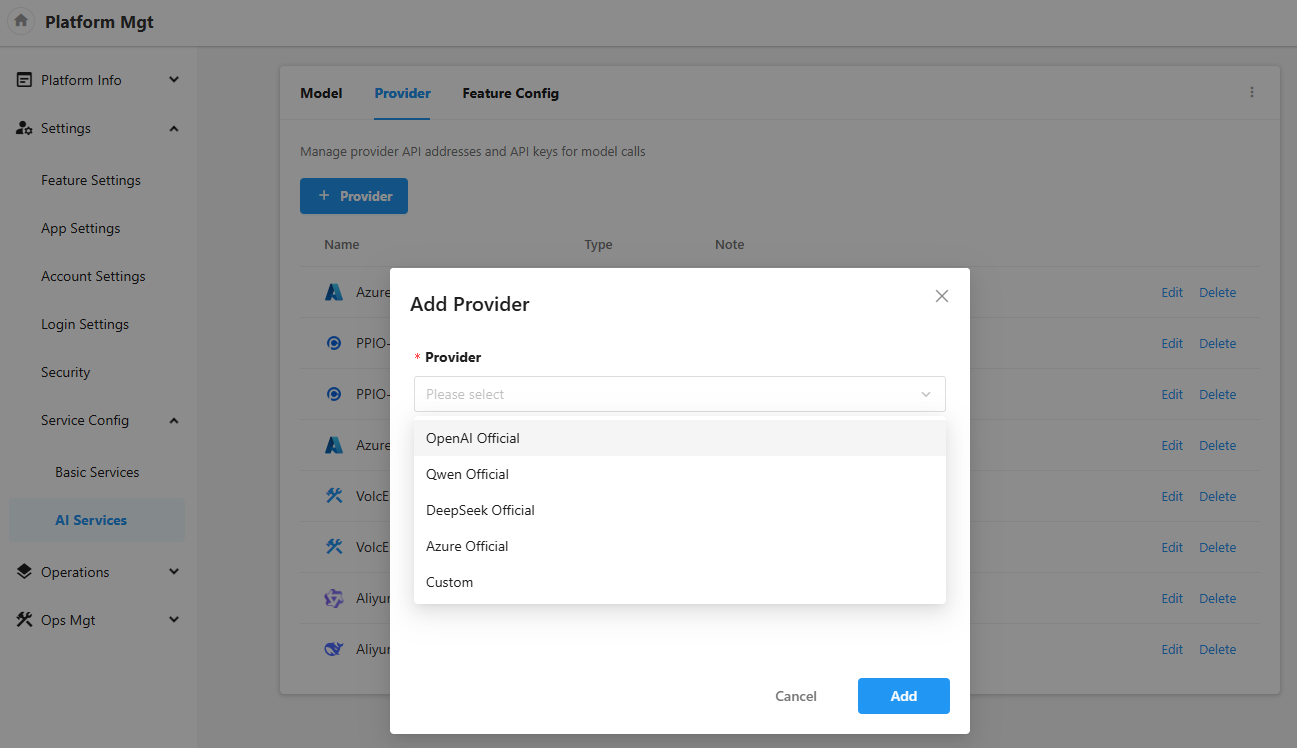
-
The
Base URLof the official provider is not required and has a default address. If there is a network problem and a proxy address has been configured, you can set theBase URL -
It supports enabling agents. When enabled, the request will be forwarded using the proxy information configured by use Settings - Security - API Proxy managed by the platform
-
In addition, it also supports setting custom request headers and enabling SSL certificate verification
Feature Config
-
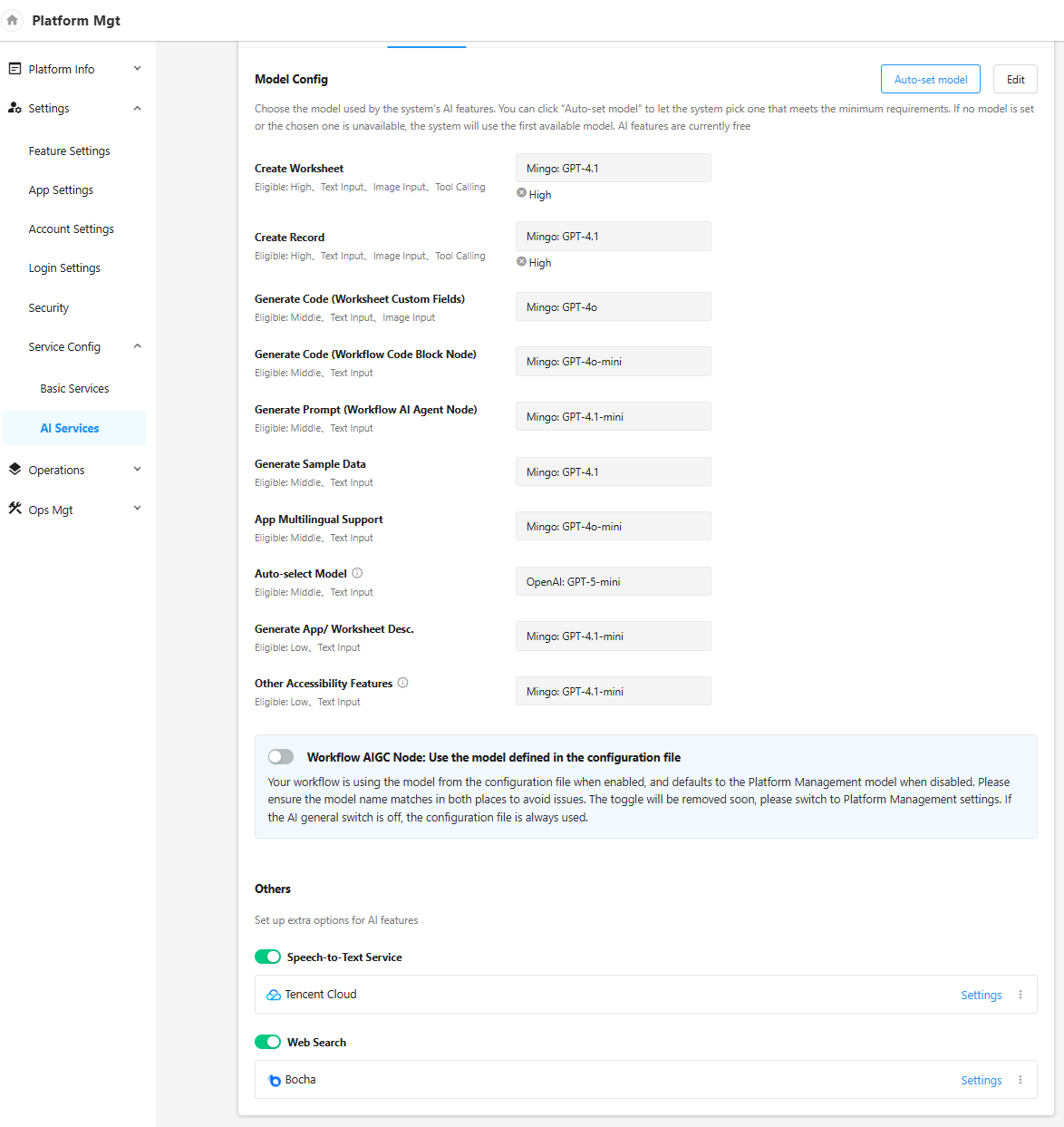
Model Config: set the model of system AI function call. Click [Auto-set Model] to match the model with one key according to the model parameters and the matching rules of each system AI function. Manual editing and adjustment of the model are also supported. When the selected model does not meet the minimum functional requirements, the corresponding identification will also be displayed below the model input box. When the model is not set or the selected model is unavailable, the system will call the first model in the available list to ensure the availability of the function. System AI functions include:
- Create Worksheet
- Create Record
- Generate Code (Worksheet Custom Fields)
- Generate Code (Workflow Code Block Node)
- Generate Prompt (Workflow AI Agent Node)
- Generate Sample Data
- App Multilingual Support
- Auto-select Model (that is, automatically select models in the workflow AI Agent node)
- Generate App/Worksheet Desc
- Other Accessibility Features (refer to other functions that use AI services in addition to the above functions, such as generating dialog titles, pre recommendation of AI creation worksheets (table names, icons, etc.), and generating corresponding configurations of ChatBot based on descriptions, etc.)
-
Others: support the configuration of Speech-to-Text Service (used in Mingo), Web Search (used in AI creation record)
AI capacity master switch
All AI related function entries will be hidden after closing. The AIGC nodes and ChatBot that have been added in the application will also fail when calling the model.

Platform Pricing Settings
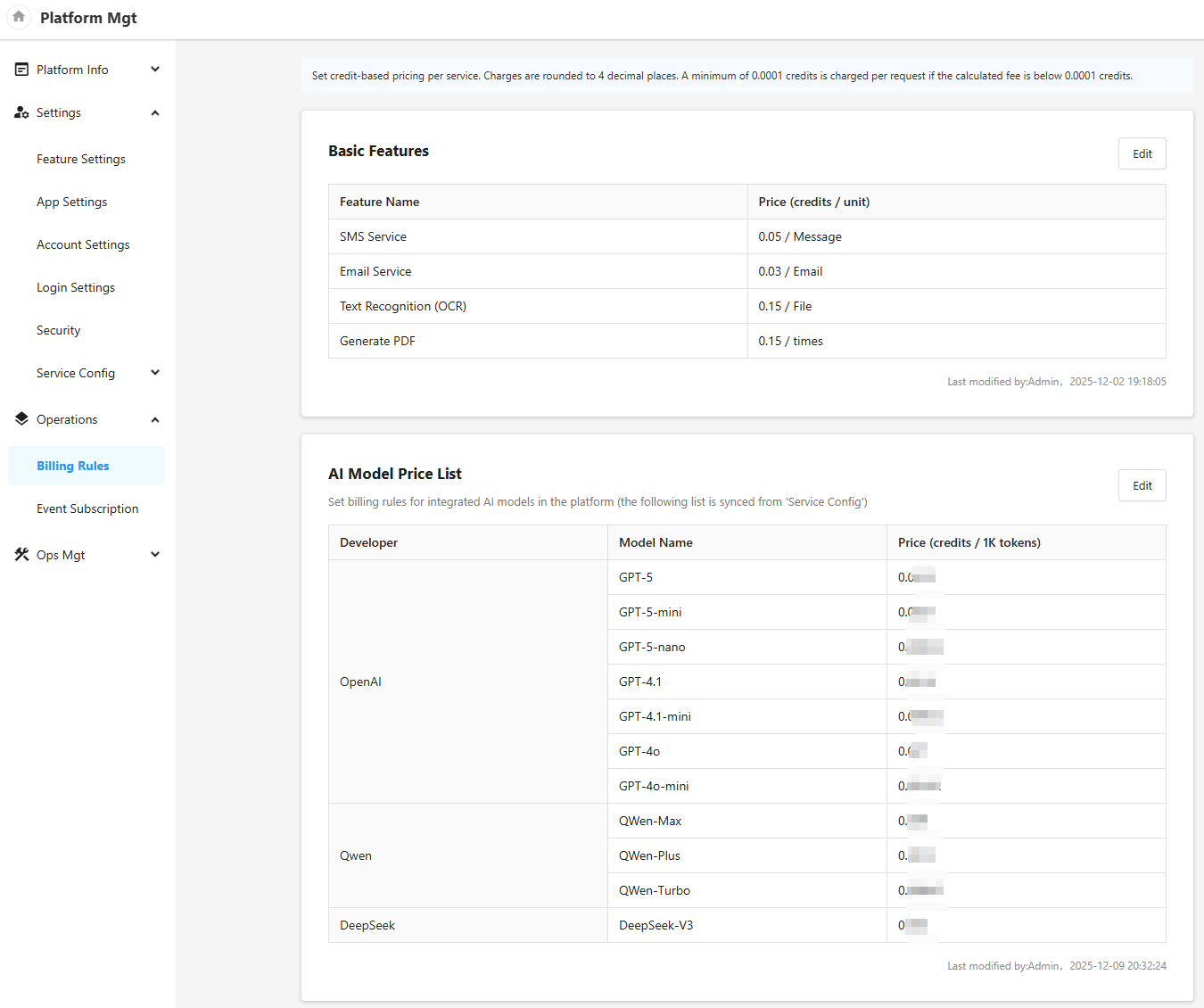
If it is currently a platform version, you can set the unit price of third-party services for tenants in Platform Mgt - Operations - Billing Rules.
- Basic functions: SMS service, email service, text recognition (OCR), PDF generation
- Unit price of AI model, calculated per thousand tokens a. This unit price is the unit price of the AI model, not the provider called for the AI model, b. Note that the AI model currently only charges for the call of Workflow - AIGC related nodes, and the system AI function does not deduct the use of organization credit points temporarily
Historical configuration compatibility
Historical Configuration Compatibility
-
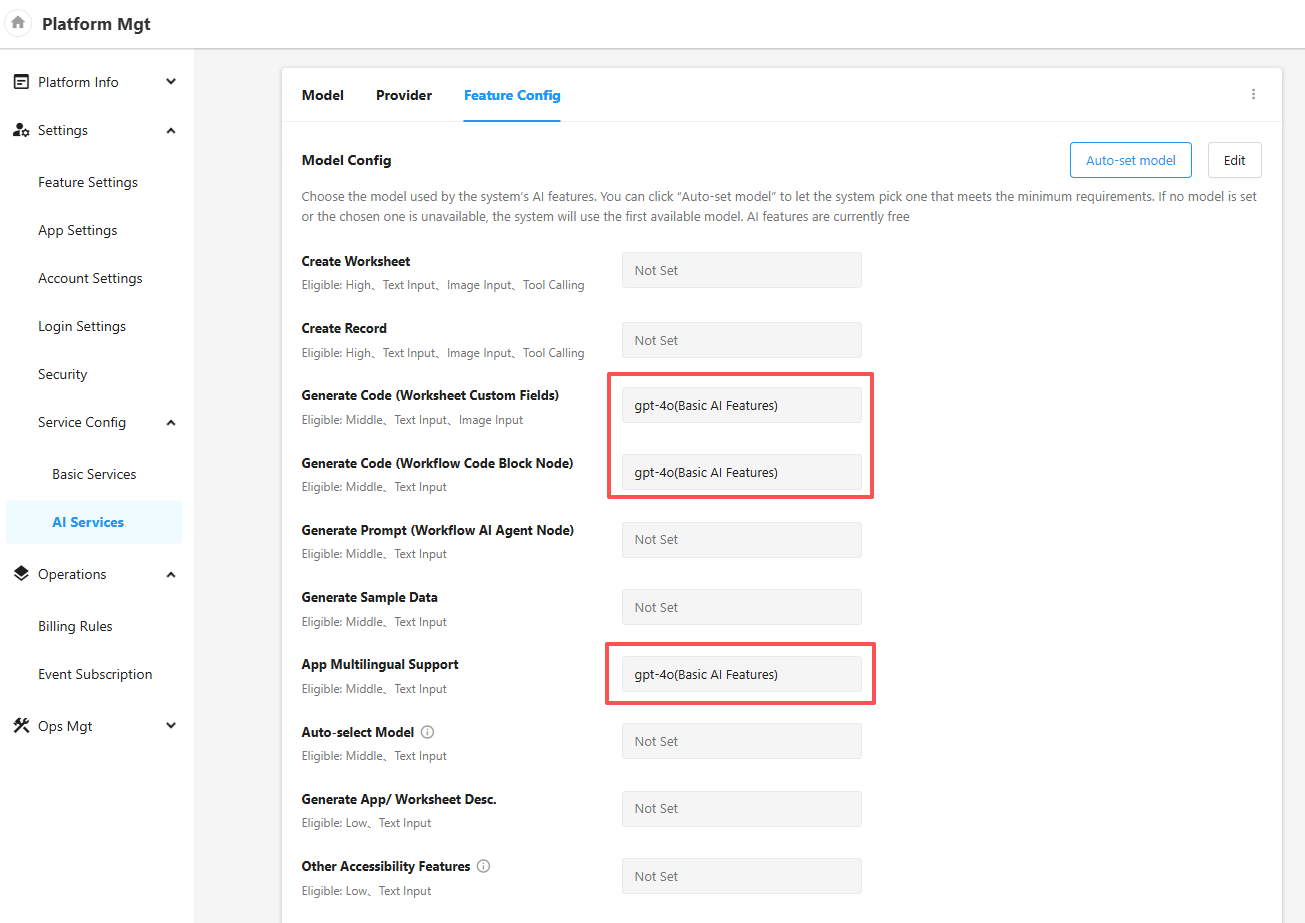
Default Inheritance of Basic AI Features
If you have previously configured the model under AI Services - Basic AI Features, the following three features will continue to use the models from the original configuration by default (as shown in the figure below):
- Custom fields for spreadsheets
- Workflow code block auto-generation
- Multi-language intelligent translation for applications
-
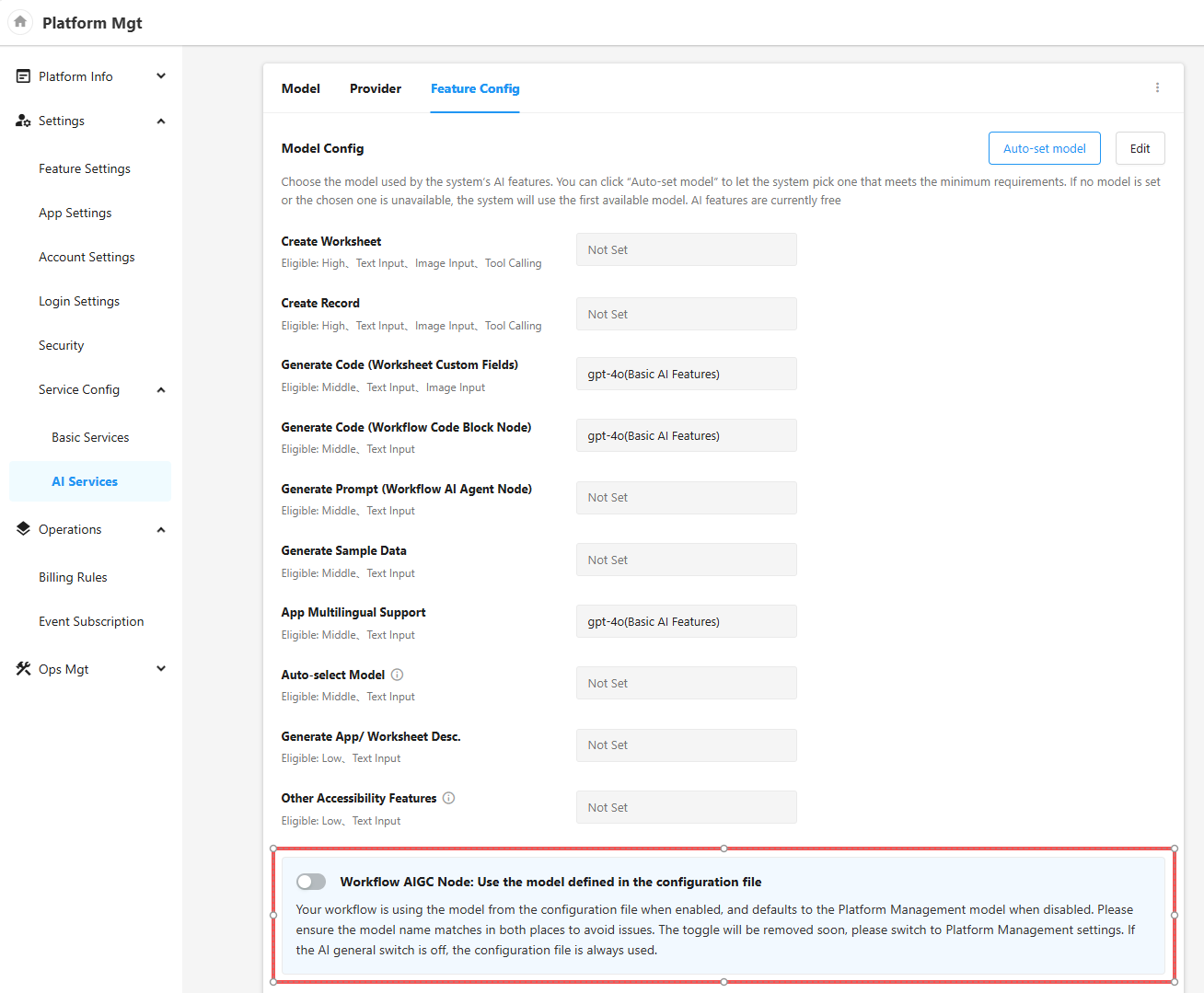
Model Switching for Workflow AIGC Nodes
For Workflow AIGC Nodes where a model has been specified in the configuration file, the system adheres to the following logic:
-
Default State: The system will automatically enable the "Use Configuration File" switch to ensure continuity and stability of the existing business operations.
-
Switching Method: If you wish to use the models configured under the "New AI Capabilities" module, you need to manually disable this switch.
- When you choose to disable this switch to switch to the new configuration, please ensure: A usable AI model has already been defined, and the "Model Name" (the unique identifier of a model within the platform) matches the model parameter value in the original configuration file exactly (note that this is case-sensitive).
-