How to enable AI
Since v7.0.0, the configuration process for enabling the platform's AI capabilities is as follows:
-
The platform administrator navigates to Platform Mgt > Integration > AI Model page.
-
On this page, the following configurations must be completed in sequence:
-
Configure Provider: Set the underlying AI model provider.
-
Configure Model: Based on the provider, add or select a specific developer and configure the AI model.
-
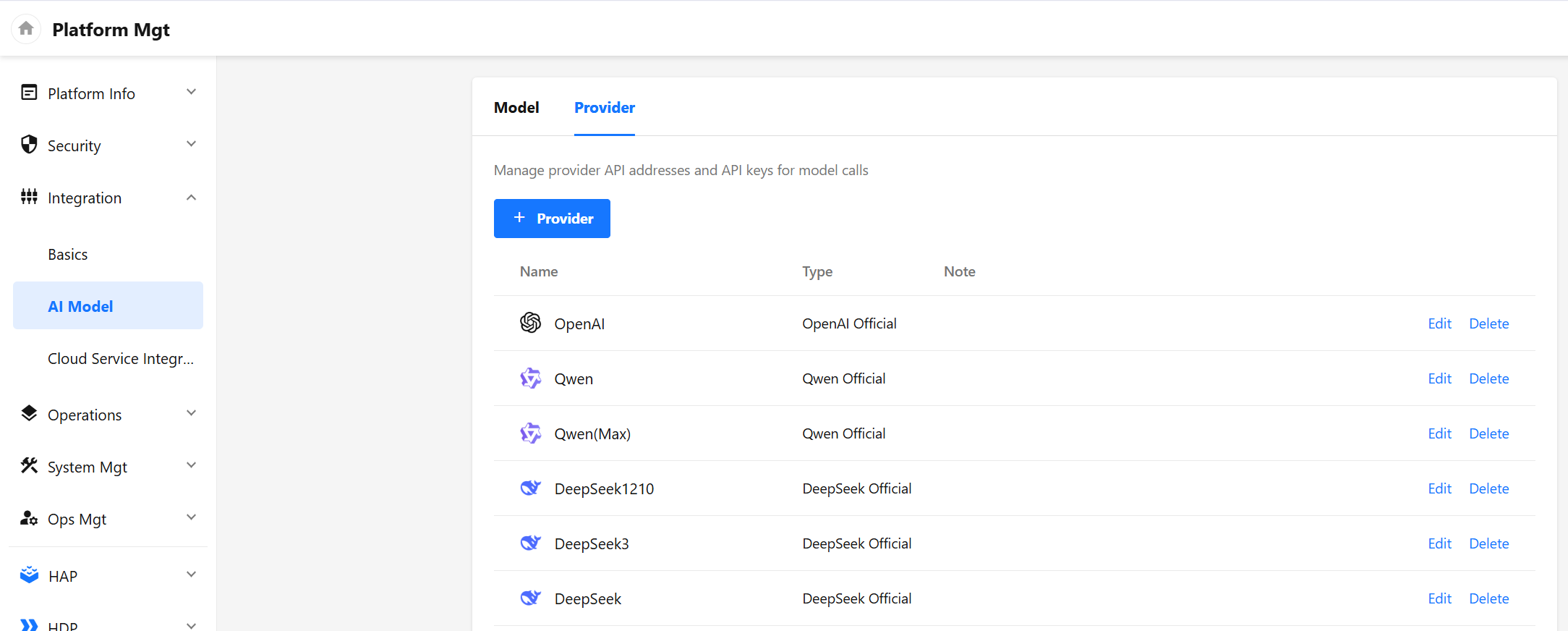
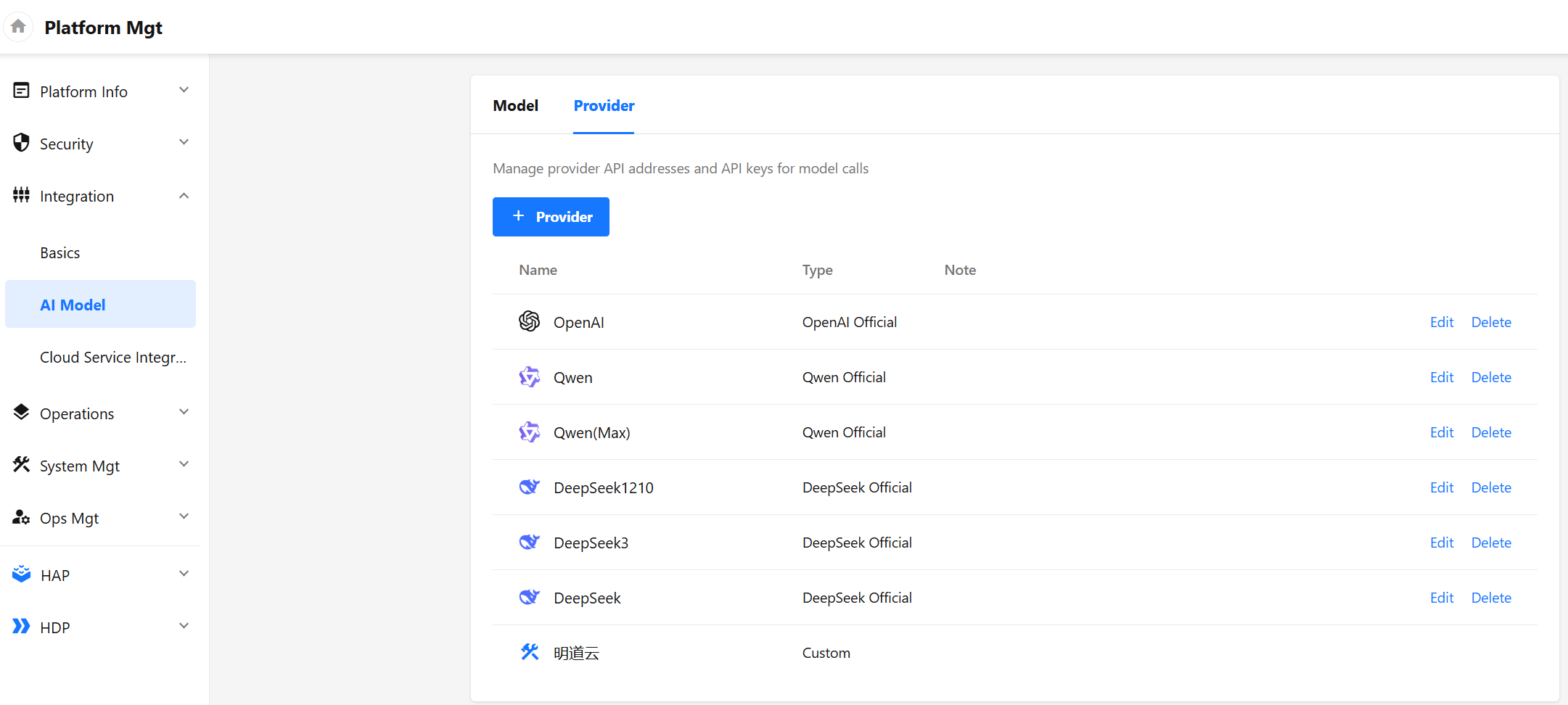
Provider
The provider serves as the interface provider for large models within the platform.
Manage the provider's request interface address and call voucher (API key) for model call.
-
Currently, it supports adding official providers of
OpenAI,Qwen,DeepSeek,Azure, and also supports adding custom providers (Note that custom providers need to meet the OpenAI interface definition specification, see OpenAI Official Document)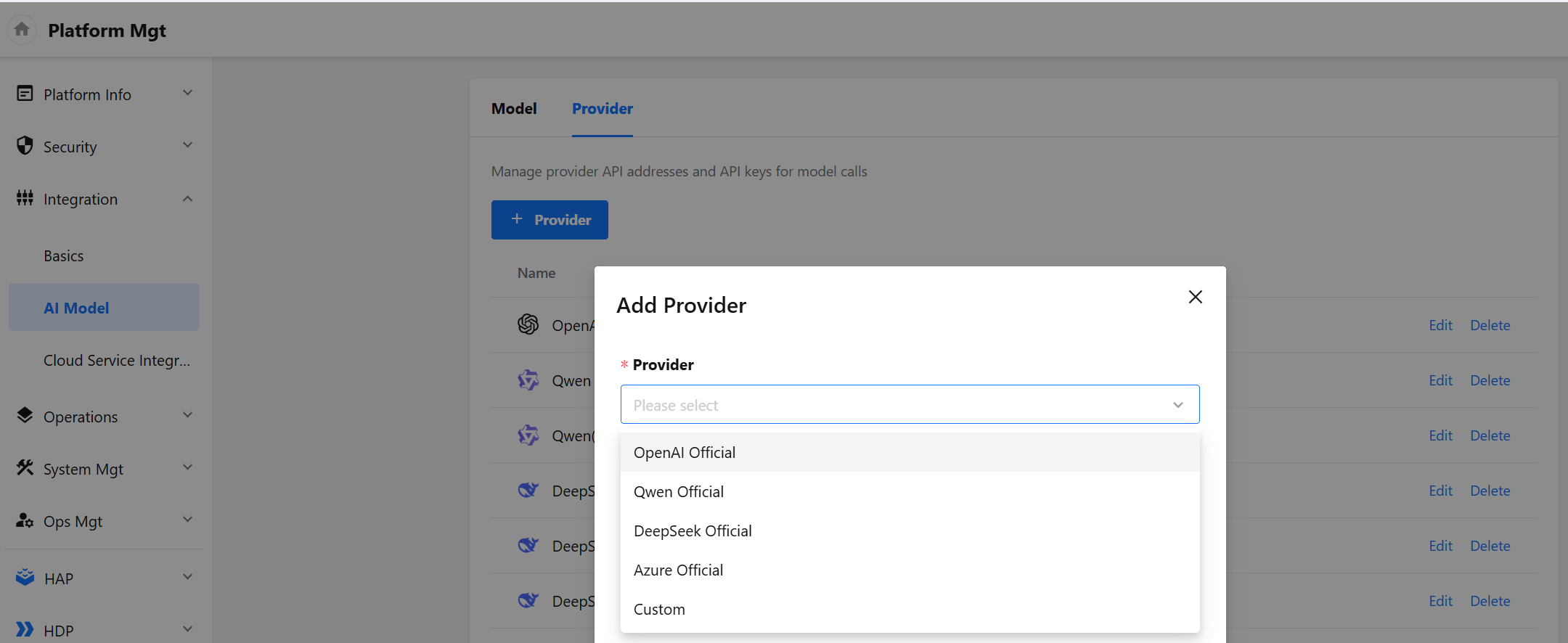
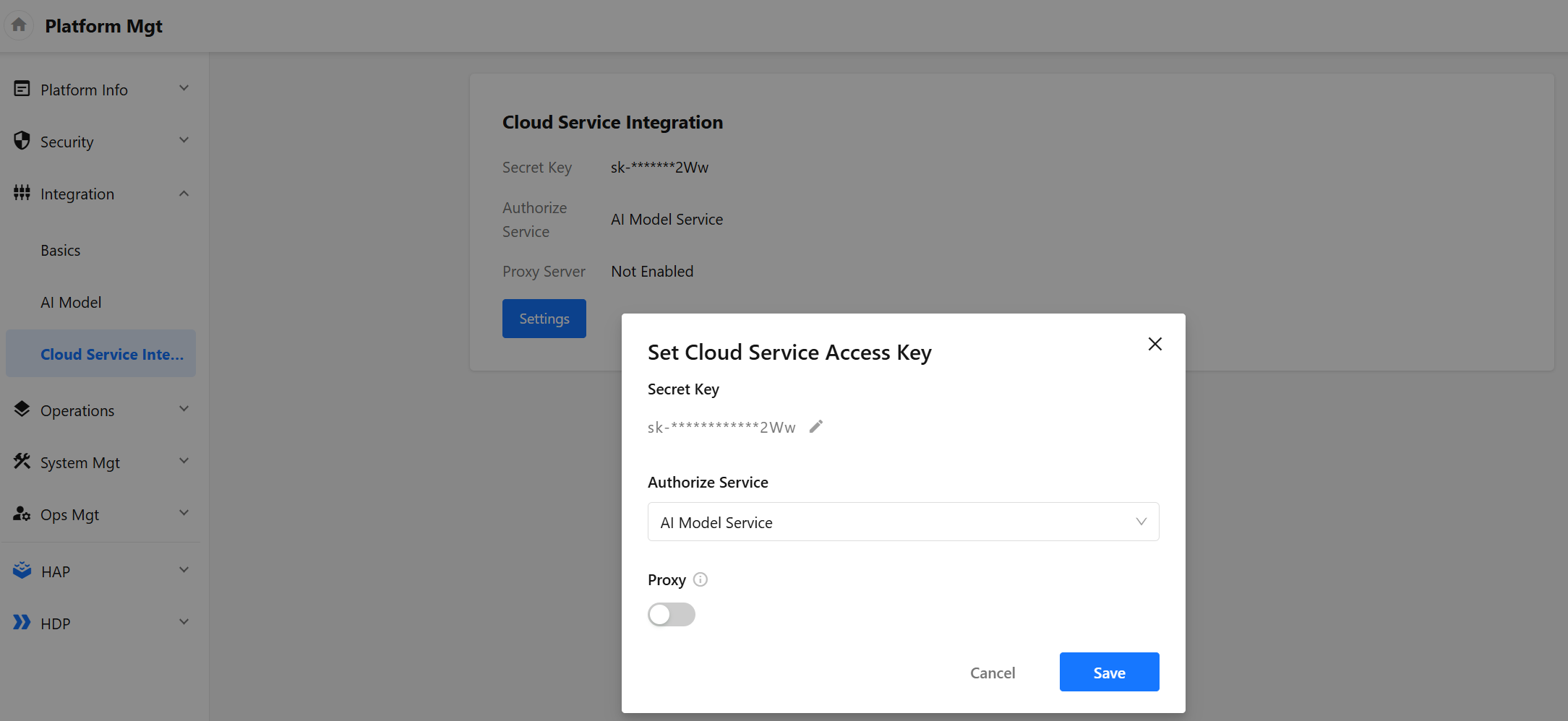
In provider selection, you can also choose the method of Cloud Service Integration. After access, a Mingdao Cloud provider will be automatically created in the supplier list
-
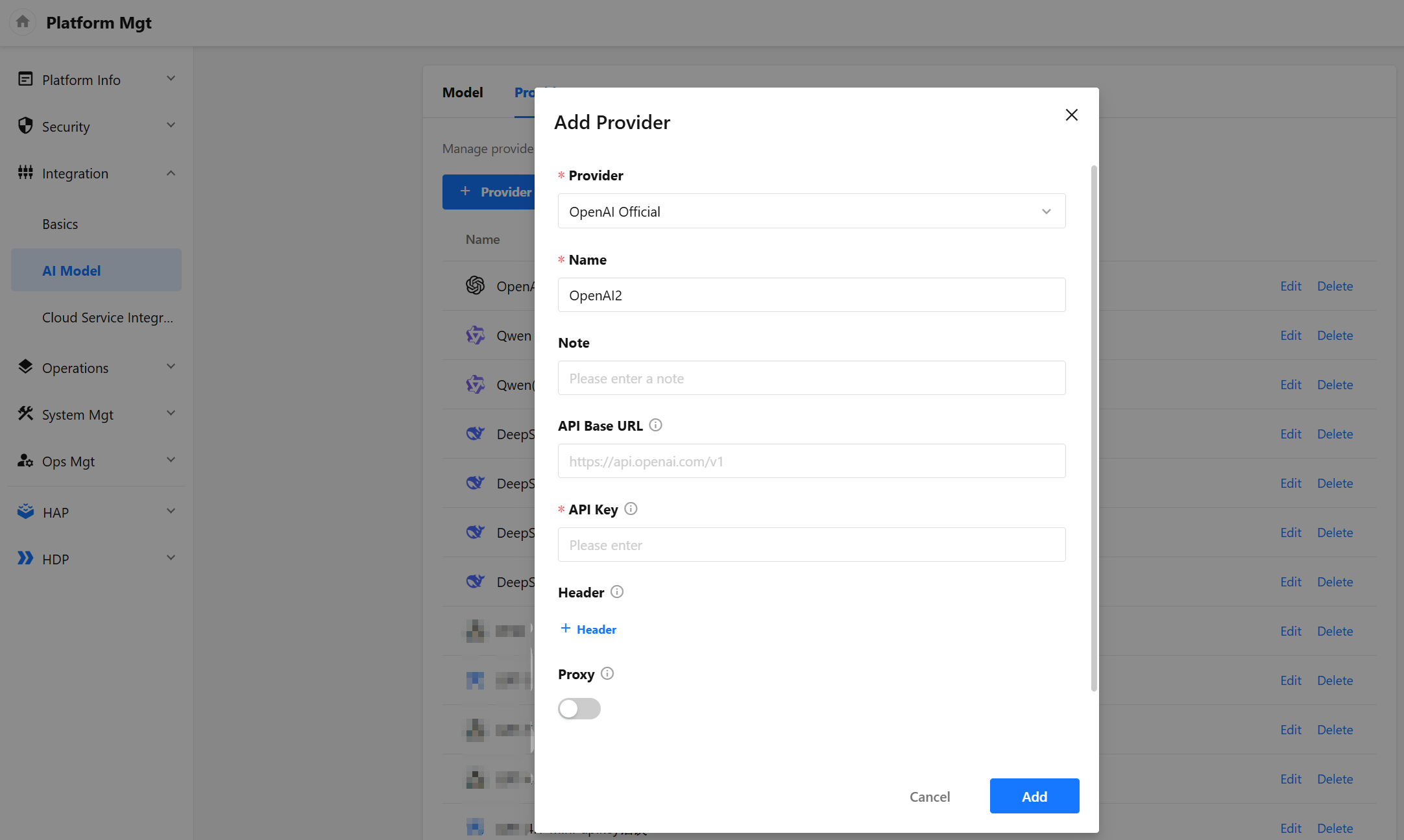
The
API Base URLof the official provider is not required and has a default address. If there is a network problem and a proxy address has been configured, you can set theBase URL -
It supports enabling agents. When enabled, the request will be forwarded using the proxy information configured by use Security - Platform Security - API Proxy managed by the platform
-
In addition, it also supports setting custom request headers and enabling SSL certificate verification
Model
The model page is used for unified management of available AI models within the platform.
-
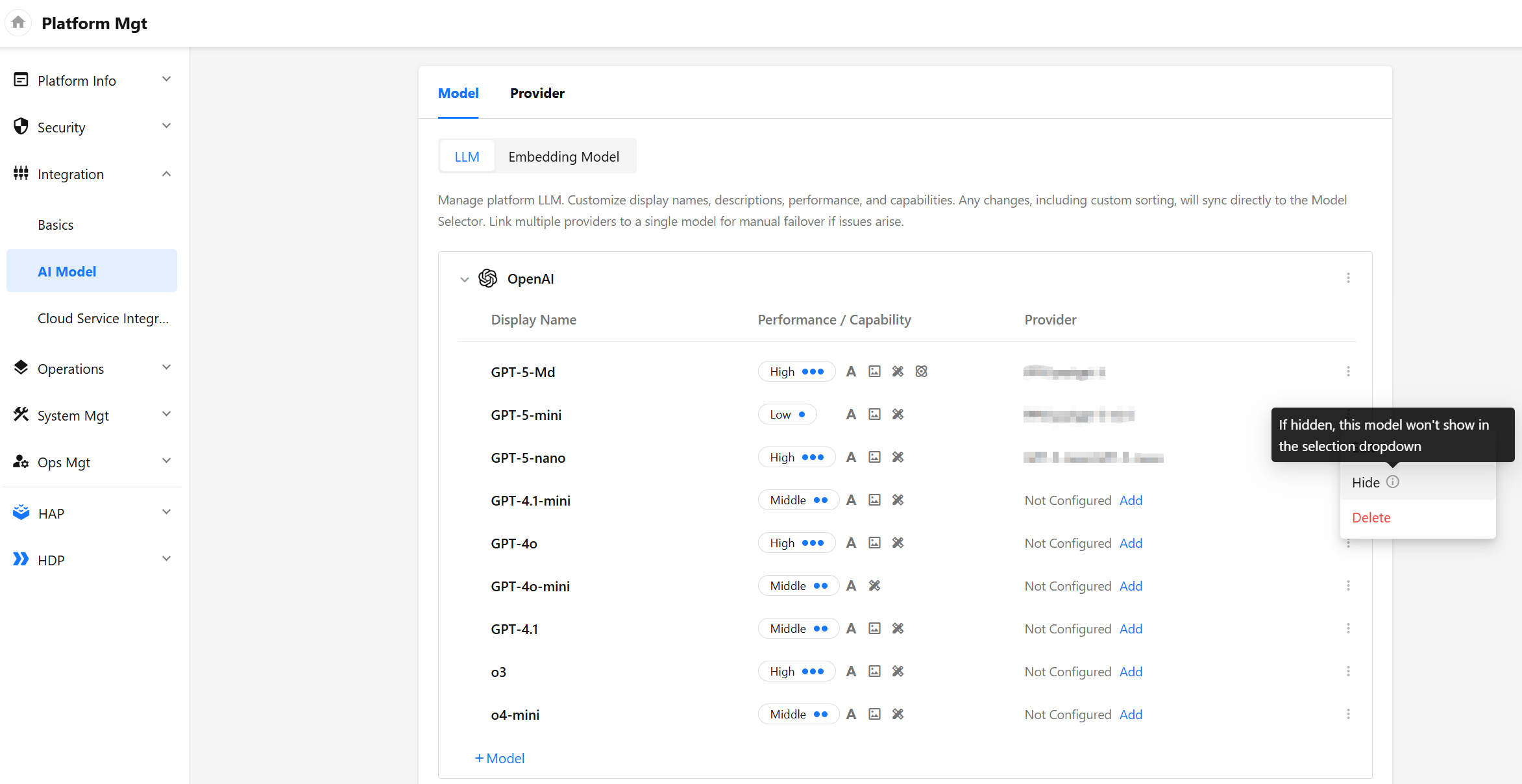
Add developers. The platform will default to include a batch of pre-configured developers and models (
OpenAI,Qwen,DeepSeek). Administrators only need to complete the provider configuration to start using them.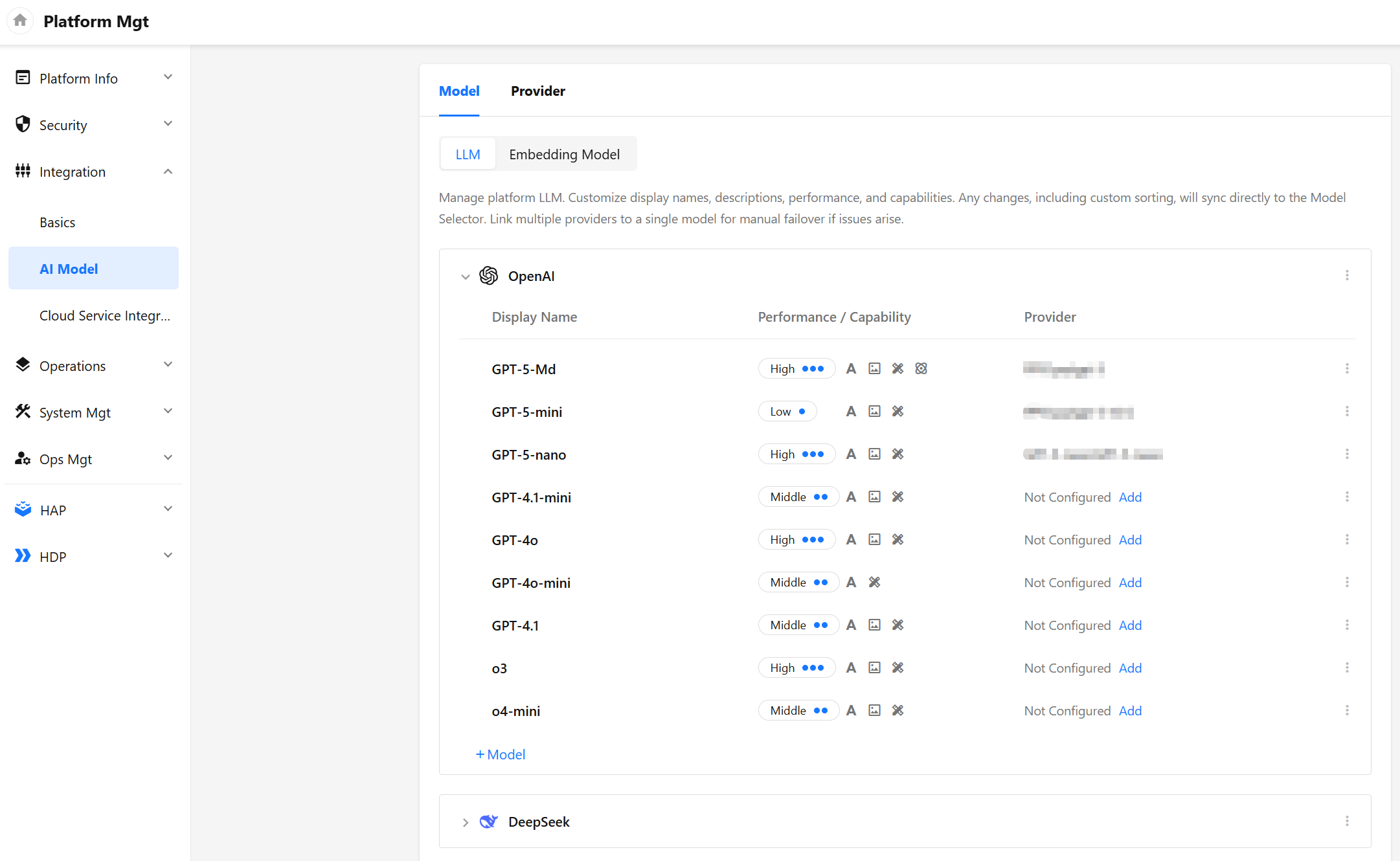
-
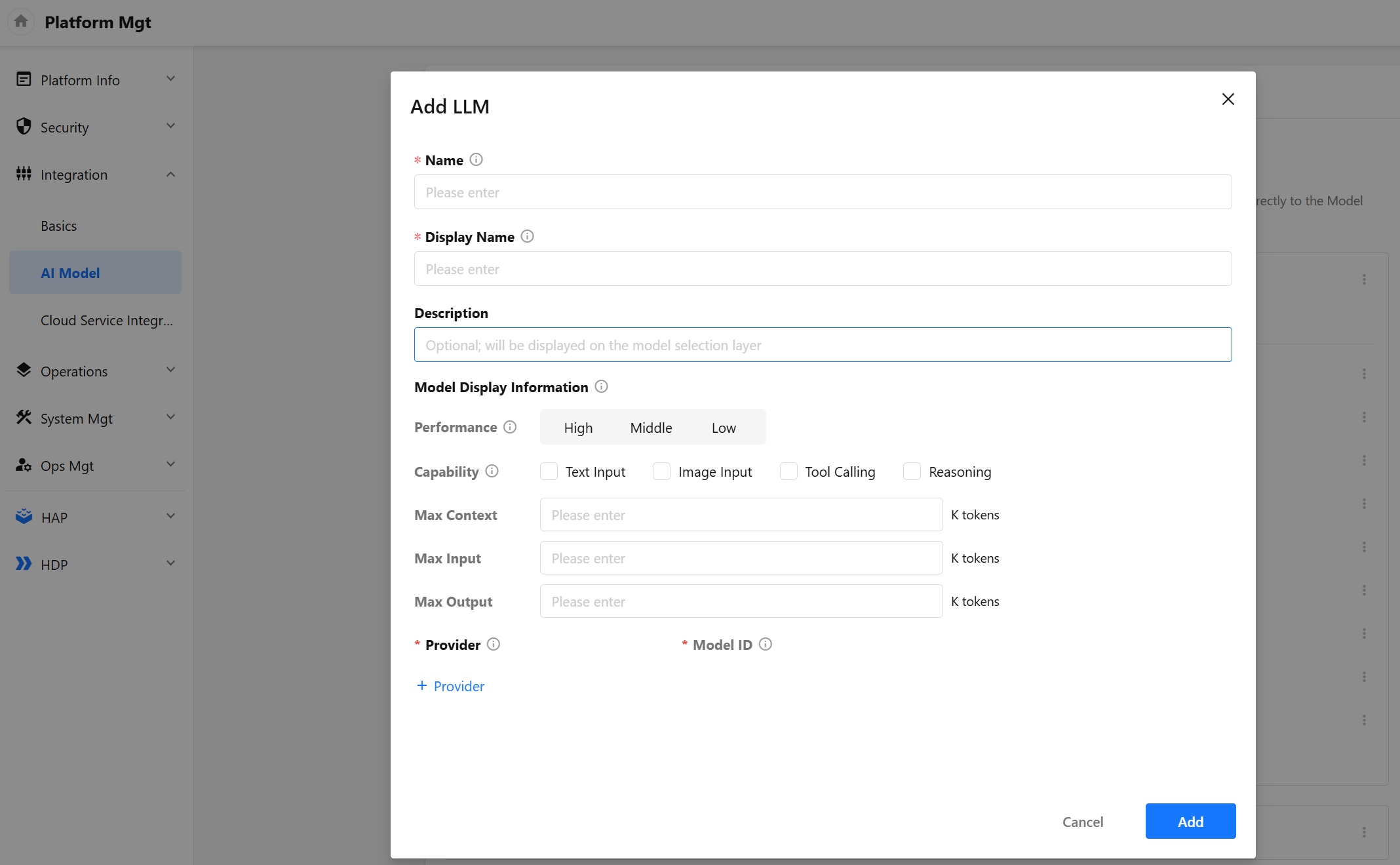
Add models: Add specific models under a developer
- Name: The unique identifier of the model. This identifier is used internally by HAP for model matching. It is case-sensitive and must not be duplicated. Modification should be made with caution to avoid functional failures caused by calls to models already in use.
- Display Name: Name of the model displayed in the front interface.
- Price: Set the model's usage fee standard based on the platform version.
- Performance: Comprehensive performance metrics for the model. It is recommended to evaluate based on response speed, output quality, stability, and cost dimensions. The system will use these metrics for reference when performing automatic optimal matching.
- Capabilities: Define the technical characteristics of the model, which serve as the key reference for automatic AI function-to-model matching within the system.
- Provider and Model ID: Configure the actual provider and model ID to be called. Multiple providers can be configured, but only one can be activated at any given time.
-
Support setting hidden developers and models. After setting hide, the model selection layer of workflow AIGC related nodes will not be displayed (note: the function configuration of platform management is still optional).
Feature Config
-
Navigate to the Platform Mgt > HAP > AI Features page.
-
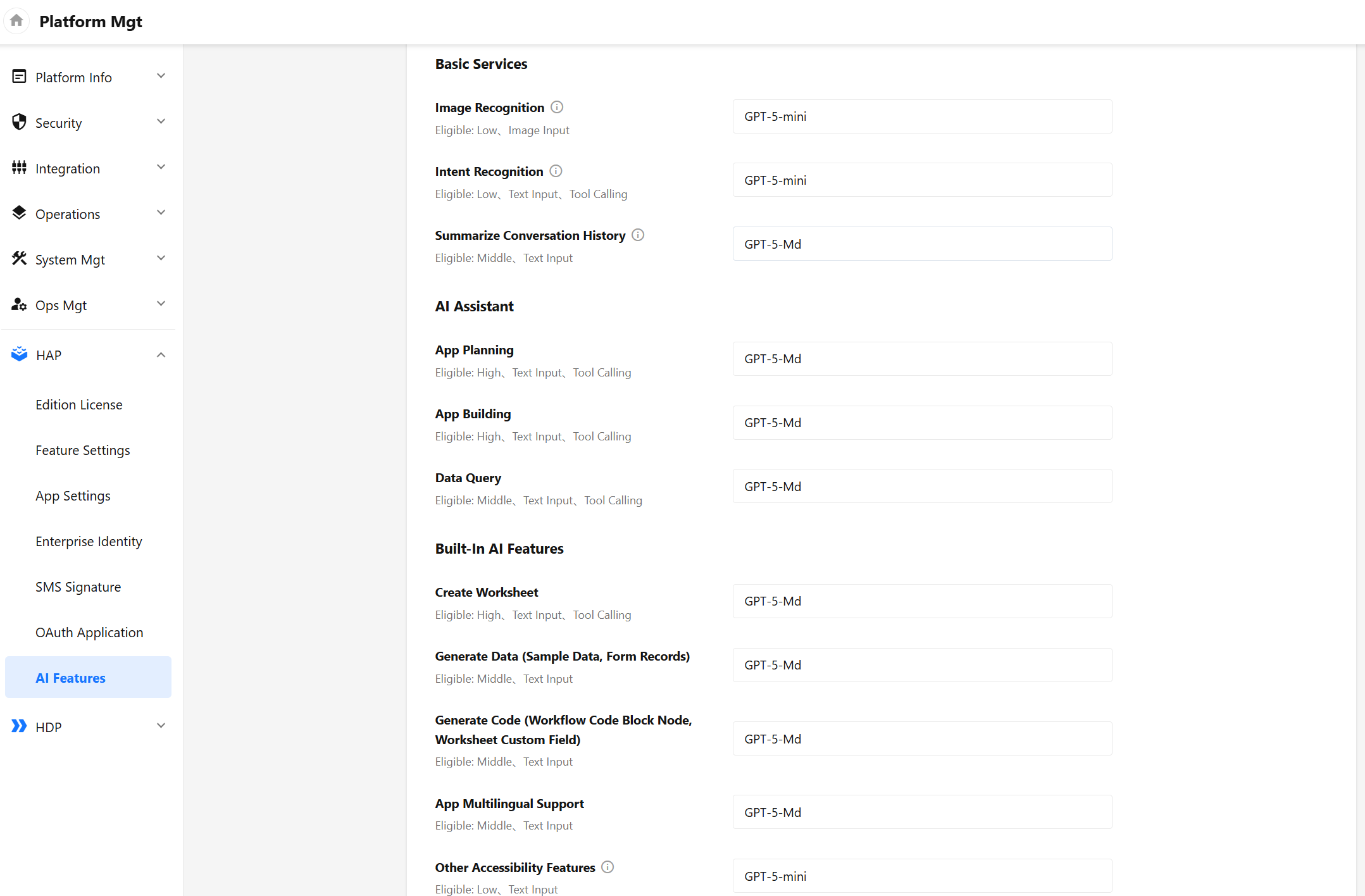
Model Config: set the model of system AI function call. Click [Auto-set Model] to match the model with one key according to the model parameters and the matching rules of each system AI function. Manual editing and adjustment of the model are also supported. When the selected model does not meet the minimum functional requirements, the corresponding identification will also be displayed below the model input box. When the model is not set or the selected model is unavailable, the system will call the first model in the available list to ensure the availability of the function. System AI functions include:
- Image Recognition
- Intent Recognition
- Summarize Conversation History
- App Planning
- App Building
- Data Query
- Create Worksheet
- Generate Data (Sample Data, Form Records)
- Generate App/Worksheet Desc
- App Multilingual Support
- Other Accessibility Features (refer to other functions that use AI services in addition to the above functions, such as generating dialog titles, pre recommendation of AI creation worksheets (table names, icons, etc.), and generating corresponding configurations of ChatBot based on descriptions, etc.)
-
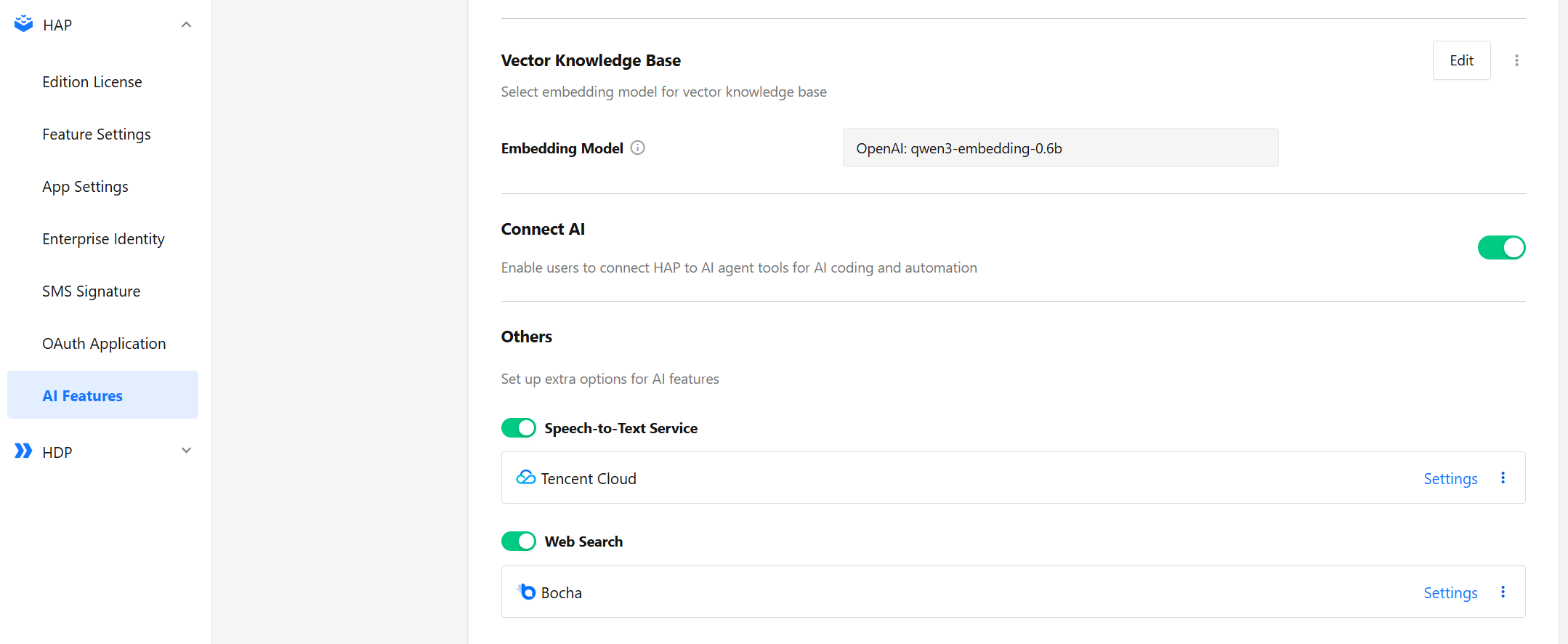
Vector Knowledge Base: Select embedding model for vector knowledge base
-
Others: support the configuration of Speech-to-Text Service (used in Mingo), Web Search (used in AI creation record)
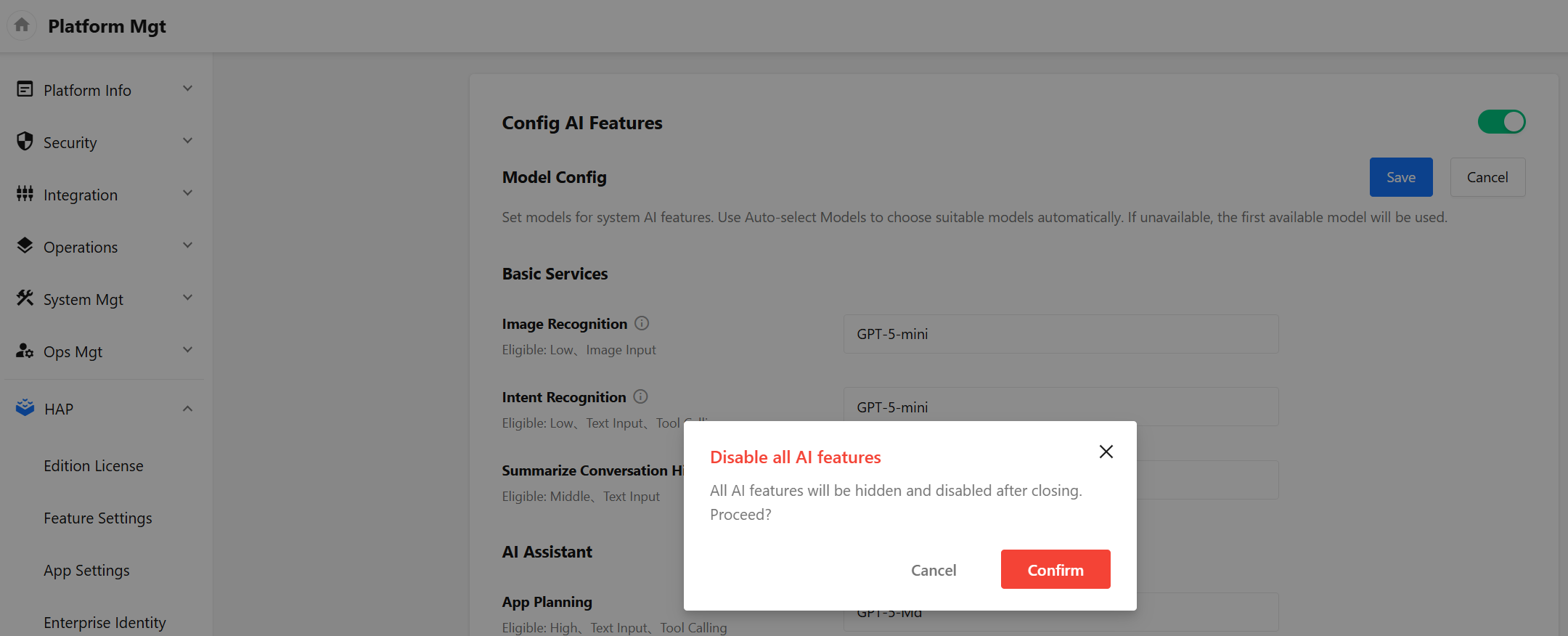
AI capacity master switch
All AI related function entries will be hidden after closing. The AIGC nodes and ChatBot that have been added in the application will also fail when calling the model.
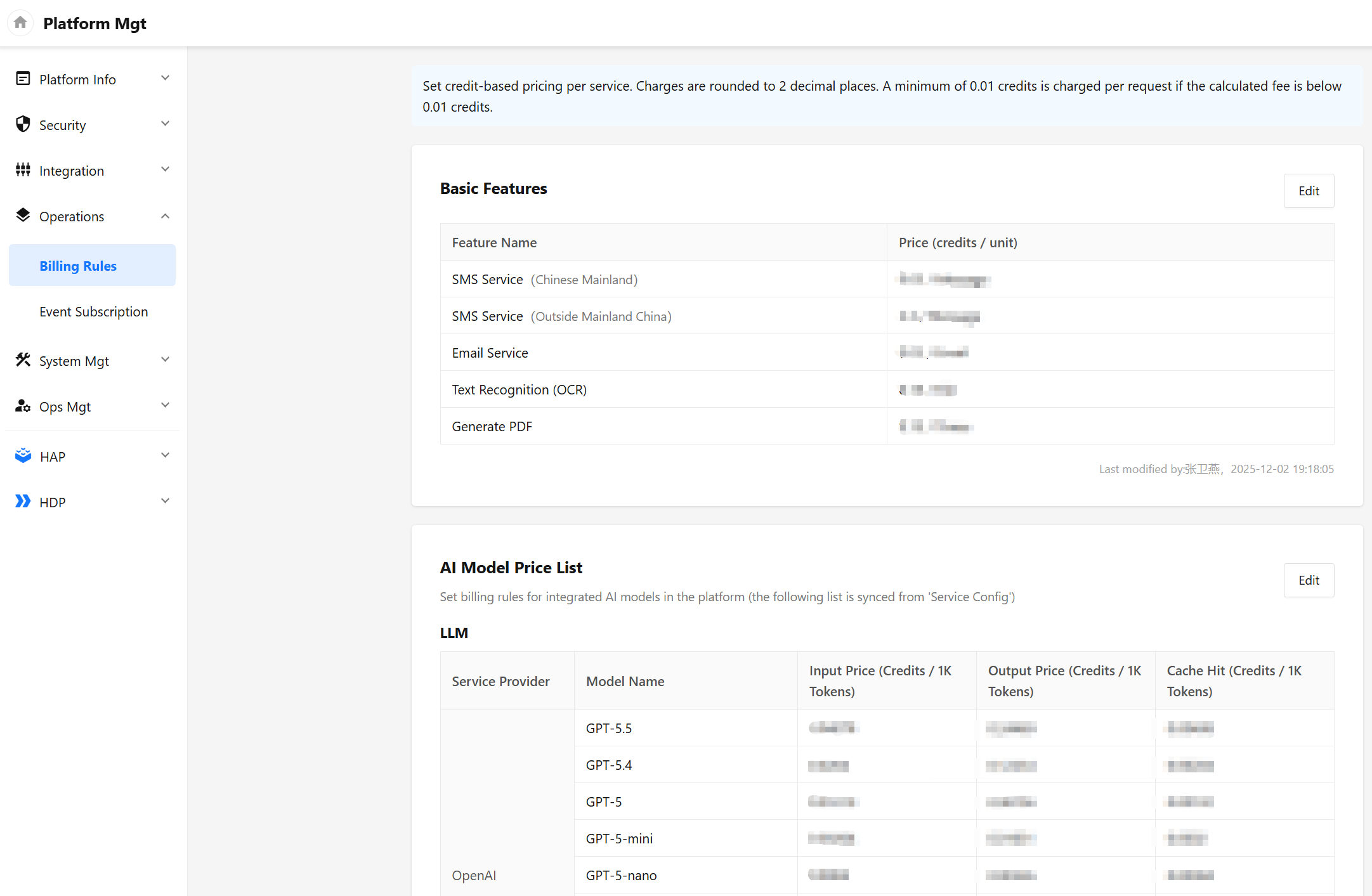
Platform Pricing Settings
If it is currently a platform version, you can set the unit price of third-party services for tenants in Platform Mgt - Operations - Billing Rules.
-
Basic functions: SMS service, email service, text recognition (OCR), PDF generation
-
Unit price of AI model, calculated per thousand tokens (This unit price is the unit price of the AI model, not the provider called for the AI model)